
Setting up Guitar Rig 4 and 5 Audio and MIDI settingsBack to the main Sound page |
|
| - | |
 This in my Windows 7 device manager You can see the 3 sound cards I have installed and the M-Audio Midisport Uno controller |
|
| - | |
 |
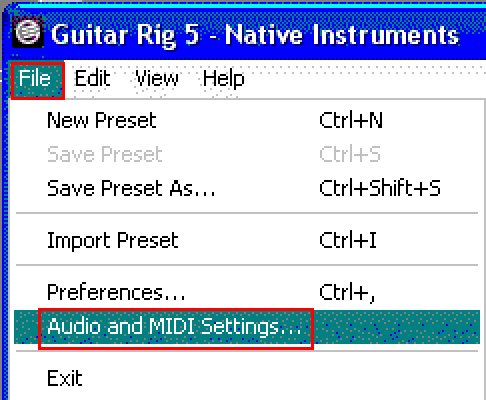 |
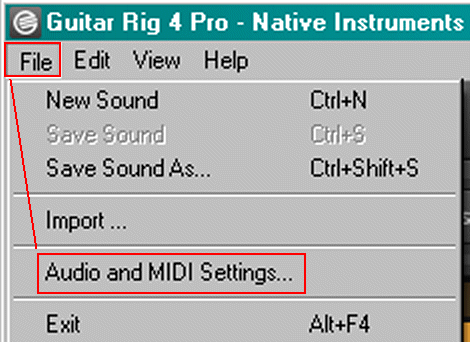
| In Guitar Rig, go to File then Audio and MIDI settings to make your audio setups. |
|
| - | |
 |
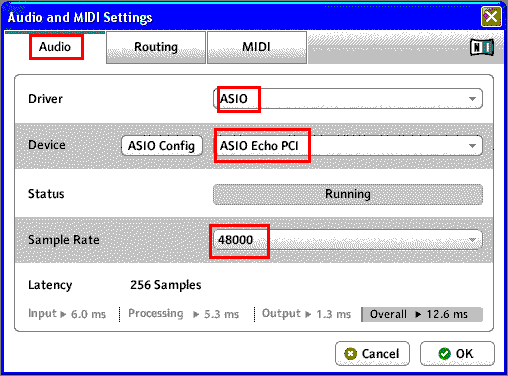 |
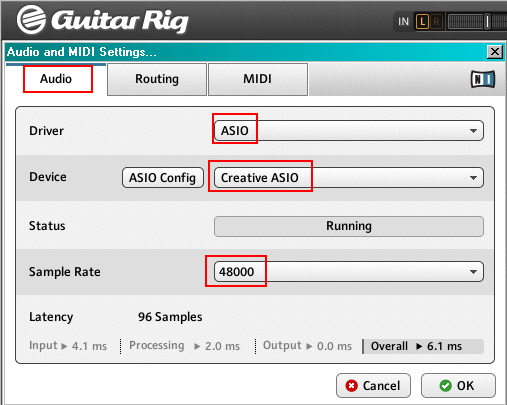
| Click on the Audio tab and set the driver to ASIO in the device drop down menu choose the audio card ASIO you will be using The screen shots above show two different sound card device setups Choose the sample rate |
|
| - | |
 |
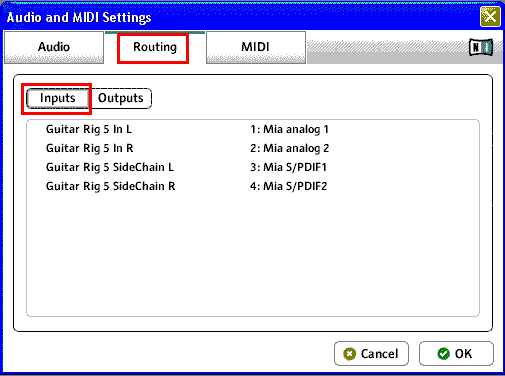 |
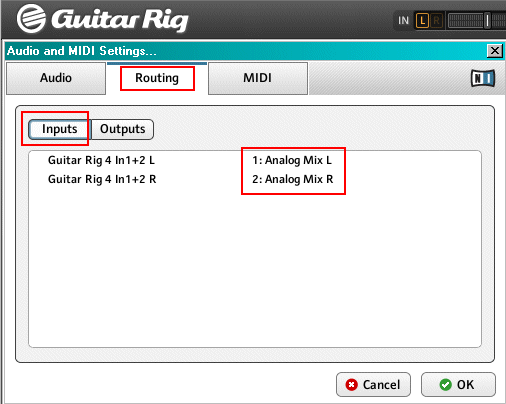
| Click on the Routing tab and then click on the Inputs button. Select which inputs you will be using |
|
| - | |
 |
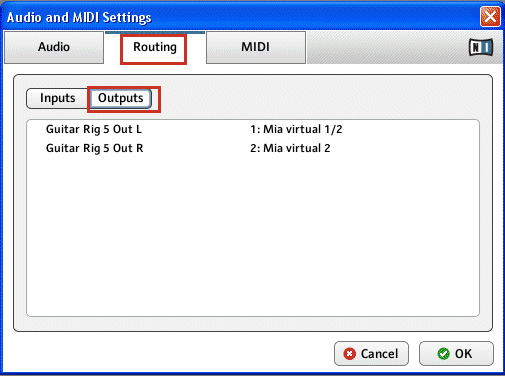 |
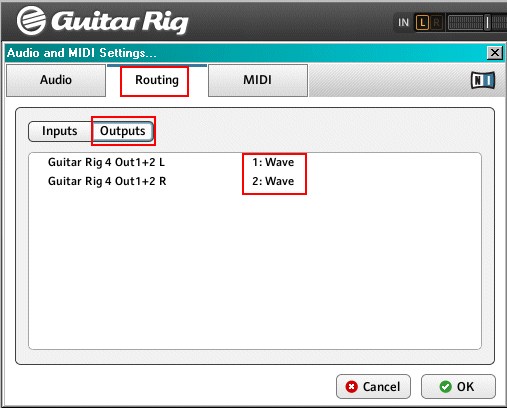
| Now click on the Outputs button and set the outputs you will be using |
|
| - | |
 |
|
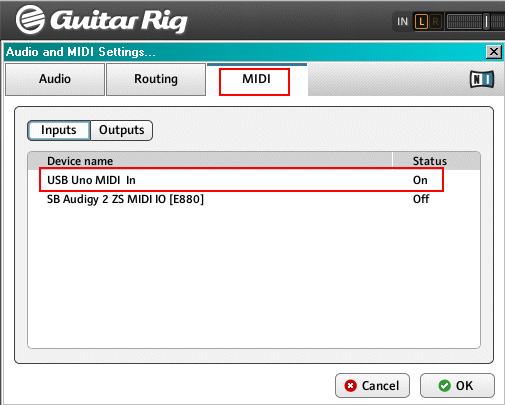
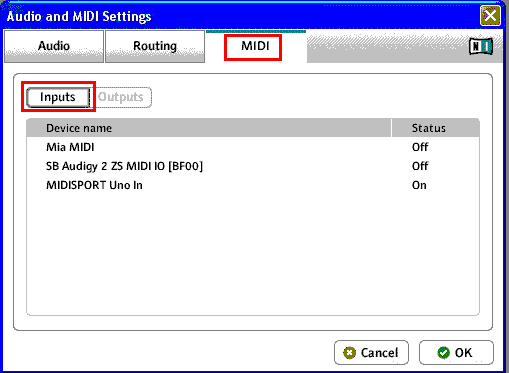
| If you have a midi interface you want to set up, click on the Midi tab I use a USB M-Audio uno midisport for my midi interface If your midi interface is hooked up and running correctly, click on the status and turn it on I use two Behringer FCB1010's to control guitar rig You can see info about the FCB1010 here. |
|
| - | |
|
|
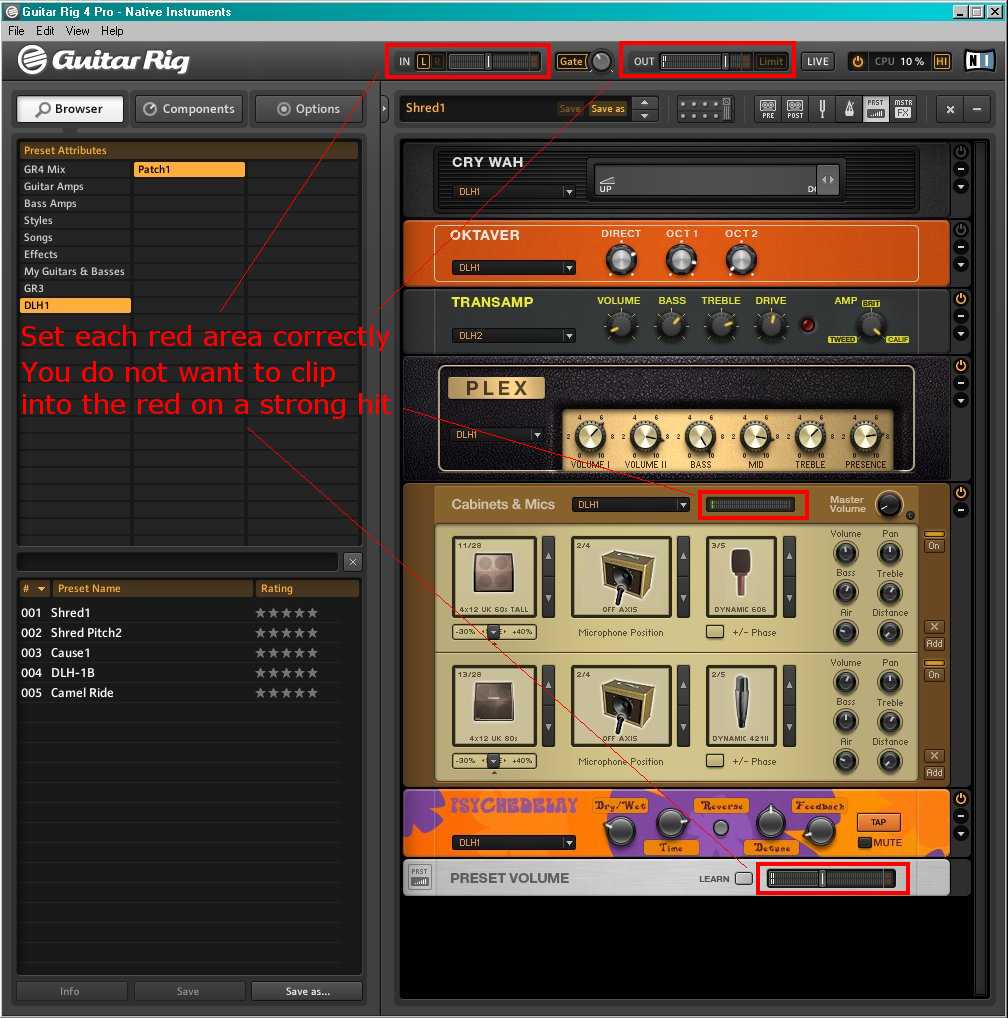
| Guitar Rig 4 screen shot You need to set all the levels correctly in order to get a strong signal without clipping into the red You set each level in the order it travels through Guitar rig, from start to finish Set the levels by strumming your guitar hard Set the Input level - Top Left of screen shot Set your cabinets & mics - middle of screen shot Set the pre-set out volume - Bottom of screen shot Set the output level - Top right of screen shot There are other settings that you may have to make also Don't forget that windows has volume slider settings in the Control panel - Sounds and Audio devices I am using Win XP and it may be different in other Windows versions The level coming out of your sound card may need adjusting Also, I am feeding a signal from my pre amp into my sound card via the line in jack I have to set the level of that input also in the windows control panel volume Go to this page for Windows mixer info |
|
| - | |
Enter My Tube Amp Parts Store Here
Mobile users Enter My Tube Amp Parts Store Here
The Tube amp Library of information
Click the link above for Tube amp info, Schematics, Board building information, Projects, Mods, Transformer diagrams, Photo's, Sound clips.
There are hundreds of pages of Tube amp information on my library page.
Please visit my Tube Amplifier Forum
Here's the place you can go to ask tube amplifier questions.
You will find a large community of friendly amp builders at the link above.
Check the huge library of Schematics here
Design your own custom Turret Board or Eyelet board
DIY Layout Creator file analyzer program
DIY Layout Creator file library
Sound clips and tunes of all types
How to email me
|
MEMBER OF PROJECT HONEY POT Spam Harvester Protection Network provided by Unspam |